KDesk helps teams organize requests, respond faster, and stay in control.
KDesk is a complete service desk platform that combines ticketing, contact management, forms, analytics, automation, and secure portal access into one intuitive workspace.
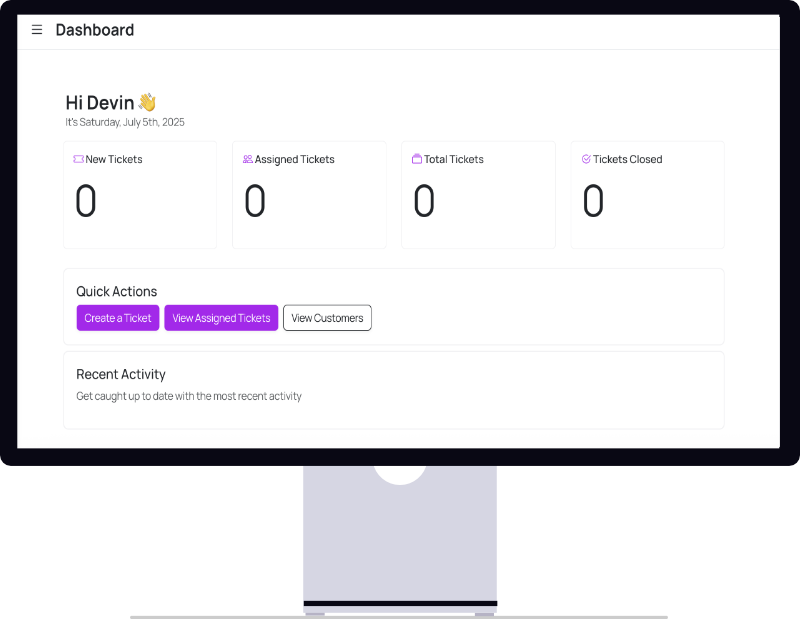
Core Ticketing
Lists, detail views, statuses, priorities, templates, comments, files, and assignments.
Contact Portal
Dedicated contact sign-in, request pages, ticket views, and safe communication routes.
Automation
Notifications, signatures, email intake, assignments, and auto-close behaviors.
Analytics
Dashboards, report templates, exports, activity analysis, and time-to-close reporting.
Built for internal teams, customer support, IT operations, and service-focused organizations.
Create, assign, update, close, reopen, and track every ticket from one place.
Comments, email notifications, portal access, and assignment workflows keep communication clear.
Analytics, saved reports, scheduled exports, and activity logs support better decisions.
Roles, groups, SSO, audit trails, retention controls, and team-aware access are built in.
What KDesk can do for you
A complete feature line built around real service work.
KDesk is not just a ticket viewer. It is a connected platform for intake, communication, coordination, reporting, access control, and customer-facing service delivery.
Core Ticketing
Manage the full lifecycle of work with ticket lists, detail views, custom statuses, priorities, categories, comments, assignments, templates, quick actions, attachments, and history tracking.
Contact Management
Keep every requester organized with a built-in contact directory, notes, company data, emails, phones, bulk import, portal links, and contact-level permissions for communication and ticket actions.
Forms & Intake
Collect the right information from the start using public submission pages, form builders, file uploads, assigned submissions, response management, and ticket-aware form workflows.
Analytics & Reporting
Measure performance with dashboards, ticket activity reports, speed-to-close insights, saved and scheduled reports, raw exports, and filters across categories, contacts, priorities, and dates.
Communication & Automation
Automate assignment emails, comment alerts, ticket notifications, signatures, custom email templates, history visibility, portal messaging rules, and ticket auto-close behavior.
Admin, Access & Control
Configure members, groups, branding, billing, invite flows, team settings, retention rules, permissions, directory restrictions, SSO, and team-aware workspace access with confidence.
For your internal team
- Reduce back-and-forth with structured intake, templates, and centralized ticket conversations.
- Route work by member or group so requests always reach the right people.
- Use logs, permissions, and retention settings to support governance and accountability.
- Install KDesk as a PWA and work comfortably across desktop and mobile devices.
For your customers and contacts
- Offer a separate sign-in experience with portal-safe ticket views and request submission flows.
- Let contacts follow progress, comment when allowed, and manage their own account preferences.
- Support SSO, code-based sign-in, and team-scoped access links for a smoother experience.
- Keep communication clear through email notifications, portal messaging, and branded service touchpoints.
Why teams choose KDesk
One system for service operations, not a patchwork of tools.
KDesk brings together ticket handling, contacts, forms, analytics, authentication, portal experiences, and integrations so your process feels connected from intake to resolution.
Email-native workflows
Ingest requests from email, notify users automatically, and keep branded communication consistent.
Flexible access
Support Google and Microsoft SSO, contact sign-in options, workspace selection, and permission-aware actions.
App-style experience
Responsive navigation, light and dark mode, and installable PWA flows for members and contacts.
Tickets
Track, assign, respond, and resolve requests with full history.
Forms
Gather structured intake with public submission pages and uploads.
Portal
Give contacts a safe and simple way to follow their requests.
Reports
Turn activity into dashboards, exports, and operational insight.
Get started with KDesk
See how KDesk can improve service delivery for your team.
Whether you need a better internal help desk, a cleaner client support workflow, or a more secure and organized request system, KDesk gives you the tools to deliver a better experience from day one.
Contact support for issues, feature requests, and product questions
If you run into a problem, need guidance, want to request a feature, or have feedback about KDesk, our team is ready to help.
- Report product issues and get direct assistance.
- Submit feature requests and workflow suggestions.
- Ask questions about setup, usage, and product fit.